

How to set a budget
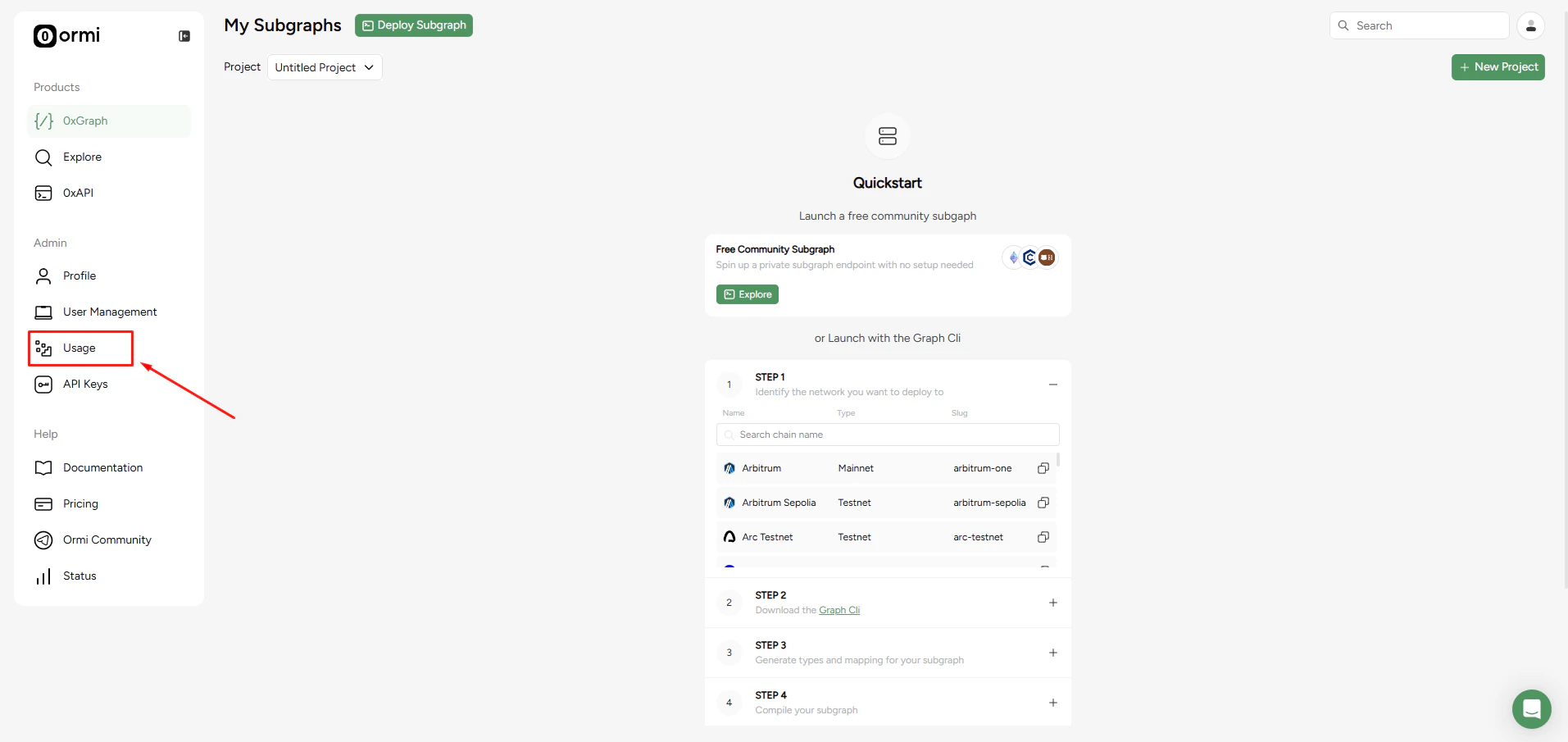
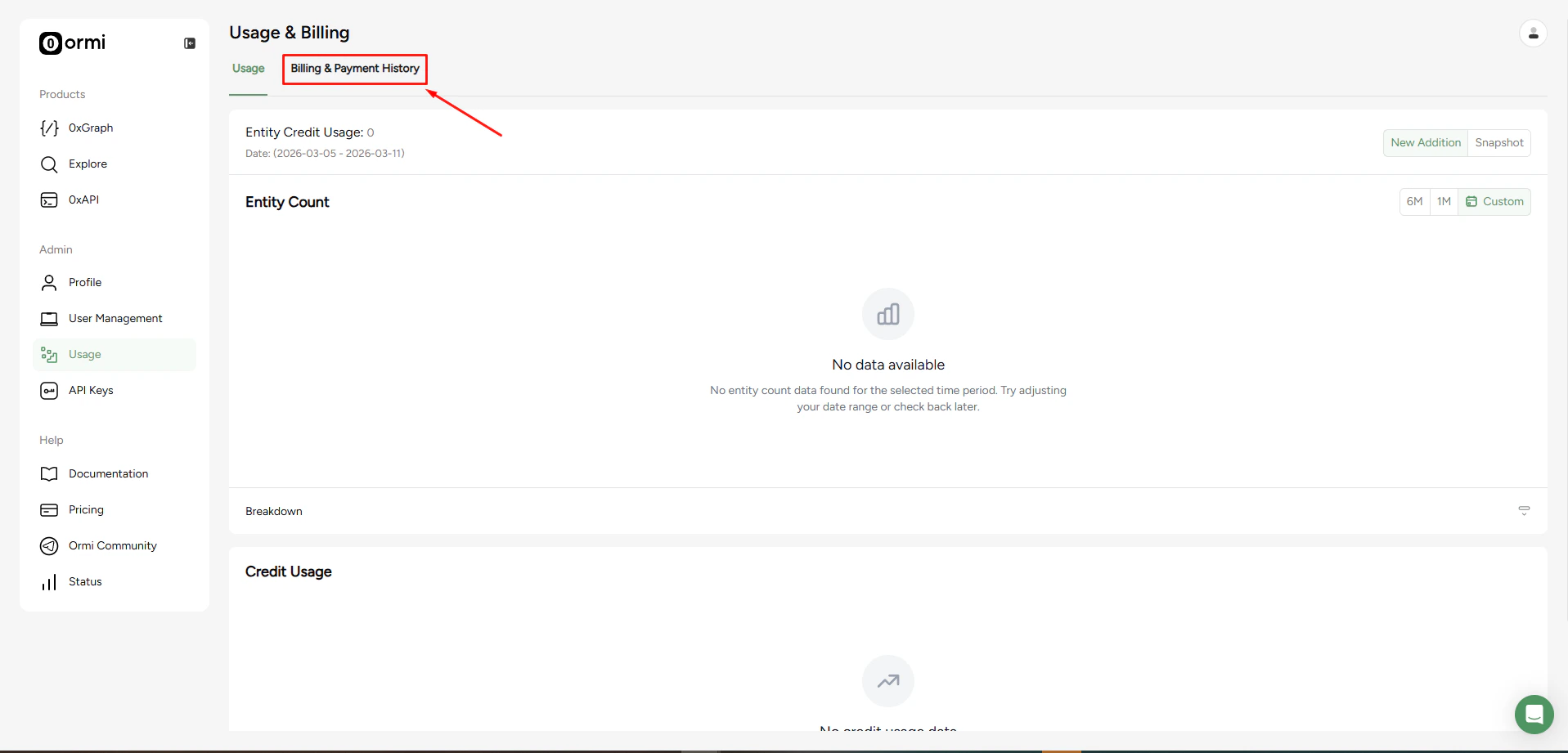
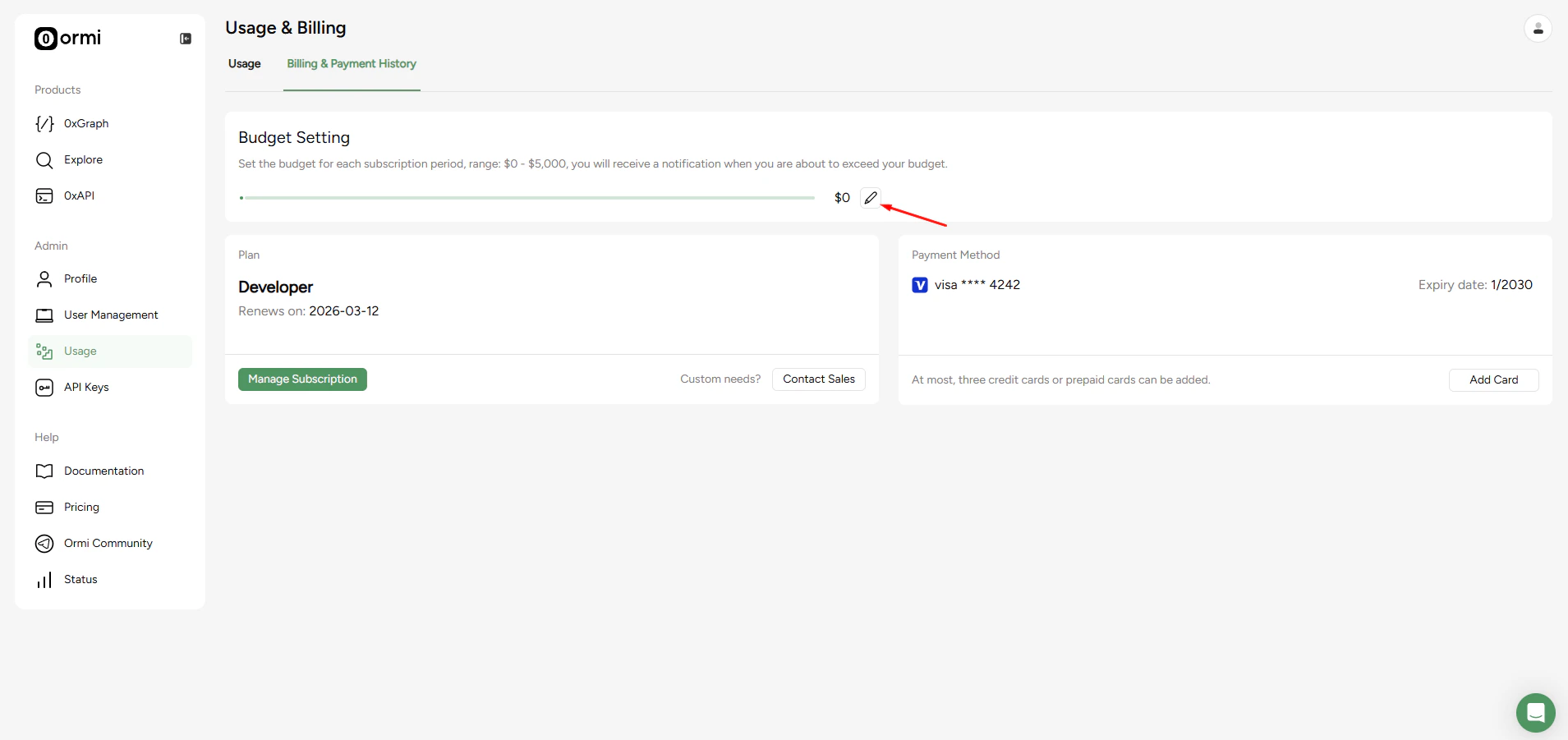
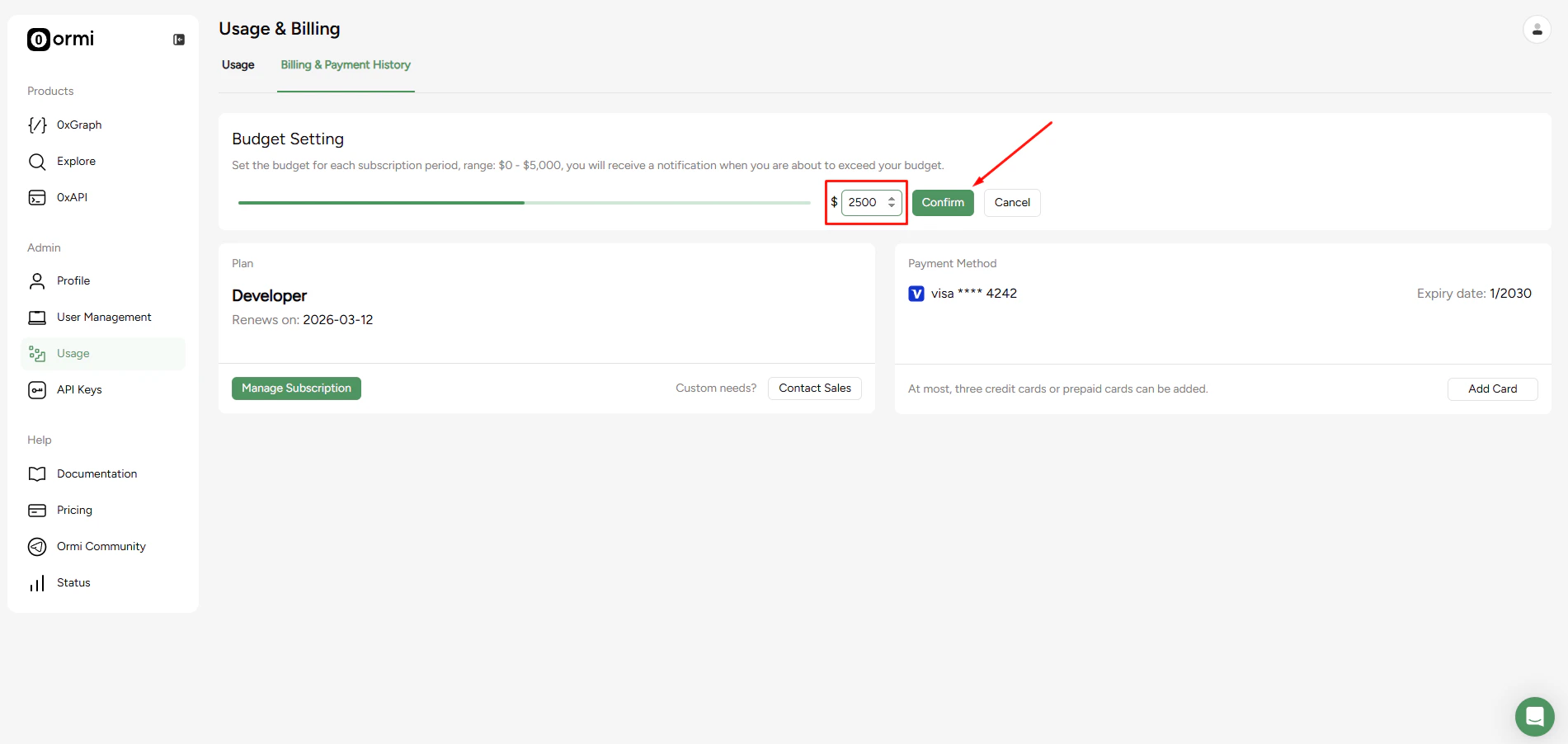
How it works
- Budgets apply per subscription period.
- You will receive a notification when you are about to exceed your set budget.
- Setting a budget does not hard-stop your usage. It is a spending alert, not a hard cap.
You can set a spending limit for each subscription period to keep your usage costs in check. When you are close to exceeding your budget, you will receive a notification.