

Summary
- Chainstack Subgraphs end on February 1, 2026
- Ormi is now the official home for existing Chainstack Subgraphs
TL;DR for Chainstack Subgraph users
Status
Your subgraphs are safe- Chainstack Subgraphs end on February 1, 2026
- Ormi is handling the migration of existing subgraphs
What you need to do
Minimal action required- Most users only need to create an Ormi account and swap their endpoints
- Join the dedicated Telegram group (invitation sent via email)
- If more action is needed, Ormi will contact you
What you get
Free access & support- Free access: Feb 1 → Mar 1, 2026
- Pricing remains aligned with Chainstack
What’s happening
Chainstack is discontinuing its Subgraphs offering. To ensure continuity, all existing subgraph workloads are being migrated to Ormi. Starting February 1, 2026, your subgraphs will be fully synced and queryable on the Ormi infrastructure. Ormi will be handling the migration so for most users, no actions are required beyond swapping endpoints.Why Ormi?
Chainstack selected Ormi because it operates reliably under real-world traffic and production workloads. Ormi is built for teams that need:- data at the tip of the chain
- consistent performance at scale
- zero throttling during traffic spikes
- end-to-end monitoring and observability tools
What we’ve already handled
Ormi is handling the migration of active Chainstack Subgraphs so most users do not need to migrate data or redeploy Subgraphs.Subgraphs are migrated on a rolling basis. To complete the migration, all users must create an Ormi account so we
can attach existing subgraphs to your environment.
If your subgraph needs attention
While Ormi handles the migration process end to end, there are rare cases where additional steps may be required due to factors outside of Ormi’s control. These can include:- IPFS deployment issues that require deploying the subgraph from source
- Indexing failures caused by mapping or schema issues in the subgraph code
- Create an Ormi account as soon as possible
- Join the dedicated Telegram group when you receive the email invitation
What you need to do
In most cases, you will only need to swap out your subgraph endpoint.Create an Ormi account
Sign up for an Ormi account to get started.
Generate an API key
Follow our guide to generate your API key.
Replace your Chainstack endpoint
Update your application to use your new Ormi endpoint instead of the Chainstack endpoint.To find your Ormi endpoint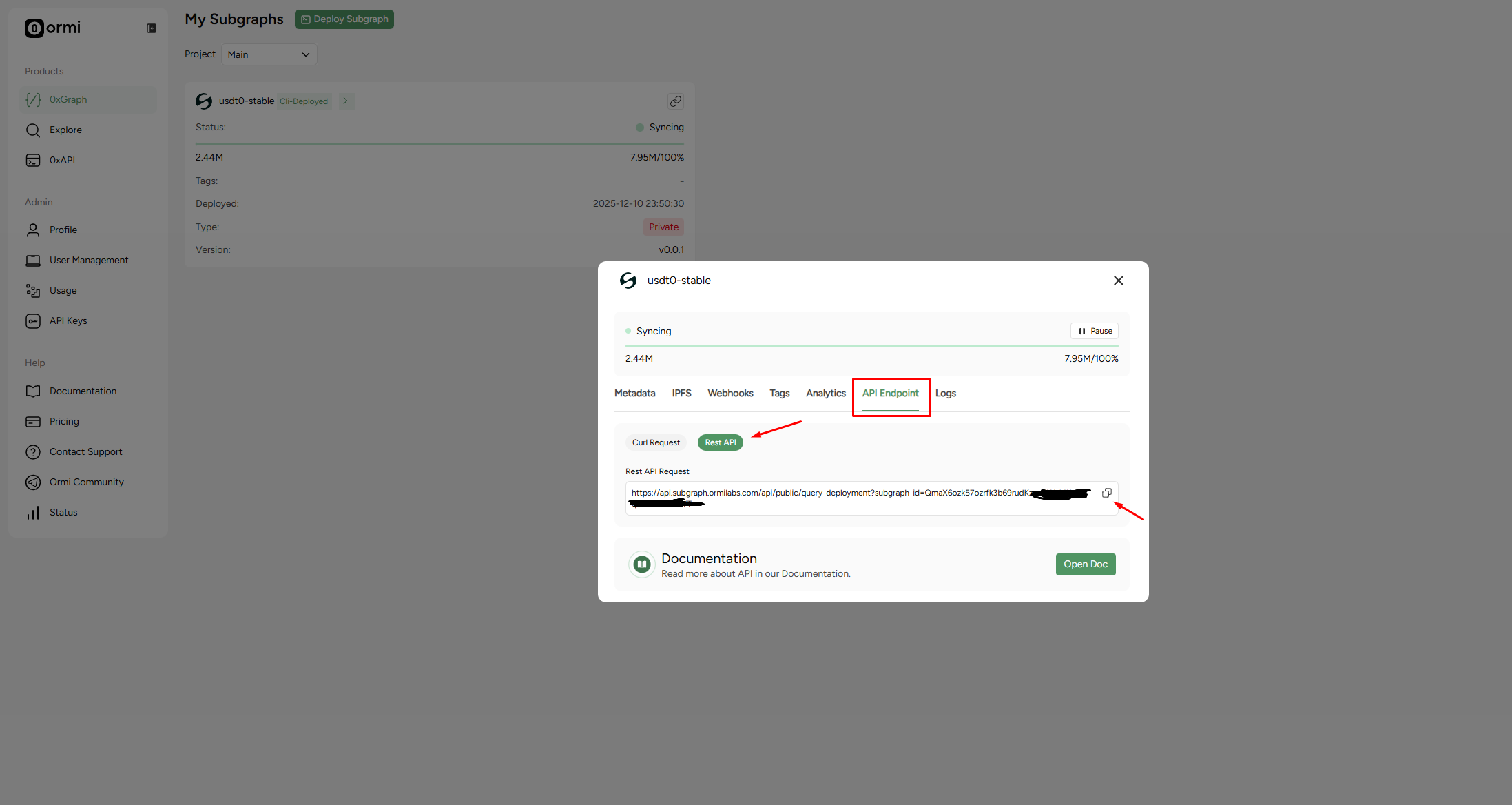
Note: Your exact endpoint may differ depending on your subgraph and environment. Always use the Ormi dashboard to copy the correct endpoint.
| Chainstack | Ormi |
|---|---|
https://<network>.graph-<region>.p2pify.com/<project_id>/<deployment_slug> | https://api.subgraph.ormilabs.com/api/public/query_deployment?subgraph_id=<deployment_id> |
To deploy a Subgraph on the Migration Environment
To deploy a subgraph in the migration environment, follow the steps below:Step 1: Use the migration environment
Make sure you are using the migration-specific app (not the standard Ormi app):Step 2: Deploy your Subgraph
Use the following command to deploy:Notes
- Replace
<your_subgraph>with the subgraph name configured for the migration environment. - Replace
<api_key>with the deploy key generated from the migration app, not from the general Ormi environment. - Using keys or endpoints from the standard environment will cause the deployment to fail.
Monitoring and platform visibility
Once live, you can use the Ormi dashboard to:- view indexing speed,
- check query performance
- monitor availability
Learn more about Ormi
If you want to explore everything Ormi offers beyond subgraph migration — including features and environments— visit our documentation: ➡ Ormi Subgraph FeaturesFree access for Chainstack Subgraph users
All Chainstack subgraph users receive one month of free access to Ormi to validate performance and explore the platform. Free access runs through March 1, 2026 at 00:00 UTC. No action is required to activate this.Pricing
To keep the transition predictable, Ormi is adopting Chainstack’s existing billing structure for migrated users. This means:- familiar pricing
- no changes to usage calculation
- no billing surprises during the transition
Billing and project ownership
Billing on Ormi is managed at the project level.- Only the project owner can manage billing and payment methods
- We recommend that the person responsible for payments creates the project
- Additional users can then be invited to the project with appropriate access
Environments
Most teams start in a shared environment. For higher-throughput or production-critical workloads, Ormi also offers:- Dedicated environments for reserved capacity
- Custom environments for large or complex deployments
Support and escalation
Our engineers are actively monitoring all migrated subgraphs. We have created a dedicated support channel for Chainstack users. You will receive an email invitation to join the Telegram group via email. You can also reach us through the Contact Us page. To report an issue, please submit a ticket in the app platform.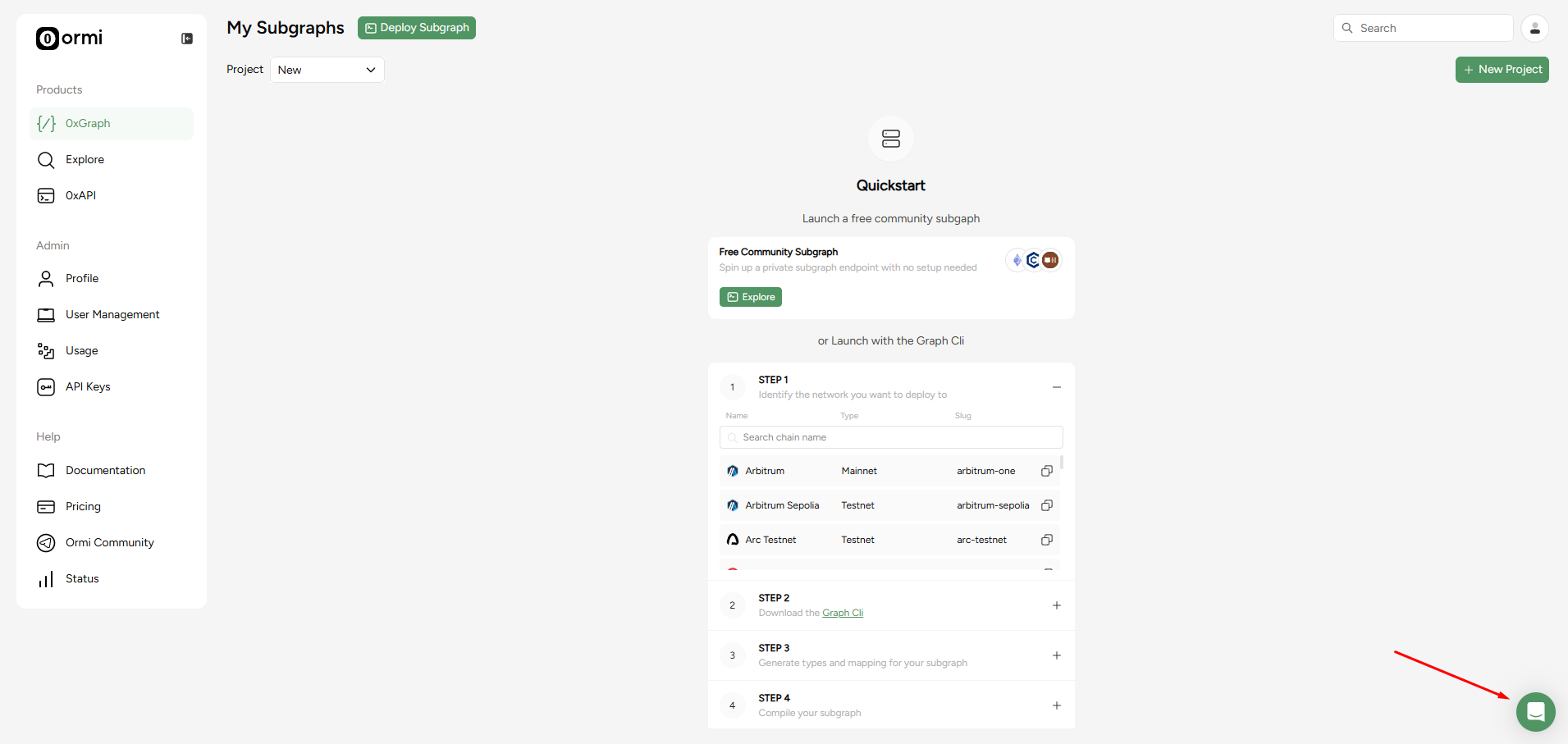
FAQ
Do I need to reindex my subgraphs?
Do I need to reindex my subgraphs?
No. All subgraphs already synced on Ormi.
Will my GraphQL schema or queries change?
Will my GraphQL schema or queries change?
No. Ormi is fully Graph-compatible. Existing queries continue to work.
Is Ormi production-ready?
Is Ormi production-ready?
Yes. Ormi runs production subgraphs for high-throughput protocols and ecosystems and is designed to operate reliably under sustained load.
How is Ormi different from The Graph, Goldsky, and other indexers?
How is Ormi different from The Graph, Goldsky, and other indexers?
Legacy indexers were designed for slower chains and lighter workloads, making them struggle under real-time, high-volume demand.Ormi is built differently:
- A next-generation indexing engine purpose-built for fast chains and high-throughput applications.
- Optimized for real-time data at scale, even during mass adoption and traffic spikes.
- Runs on a vertically integrated stack across bare-metal and cloud infrastructure, ensuring no single point of failure.
- Scales elastically to handle any chain or application workload without throttling.
What happens if I notice an issue?
What happens if I notice an issue?
Join the Telegram support group, submit a ticket in the app, or contact us directly. Our team will investigate and assist.
Can I move to a Dedicated or Custom Environment?
Can I move to a Dedicated or Custom Environment?
Yes. Dedicated or Custom Environments are available for teams with higher throughput or stricter reliability requirements.Contact us for more details.
Next steps
After creating an Ormi account and joining the Telegram support group, please wait for further instructions confirming that your subgraph is fully synced.- Wait for confirmation that your subgraph is live on Ormi
- Swap your endpoint using the quickstart guide
- Verify indexing and queries in the dashboard
- Reach out if you want help validating your setup