

Alchemy is sunsetting its Subgraph service. Ormi offers a seamless migration path. No CLI setup, or code changes. You can move everything to Ormi in seconds using your existing Deployment ID.
Why choose Ormi?
- Zero-friction migration: deploy in seconds using your existing Deployment ID.
- High-throughput performance: built to handle up to 4,000+ RPS and 99.9% uptime.
- Real-time indexing: always synced to the tip of the chain.
- 90% of existing Ormi clients came over from Goldsky to Ormi for better performance.
Getting started
If you plan to update or redeploy your subgraph in the future, create and use a tag before you start querying the endpoint.
Tags let you hot-swap new deployments under the same URL later without changing your front-end code.
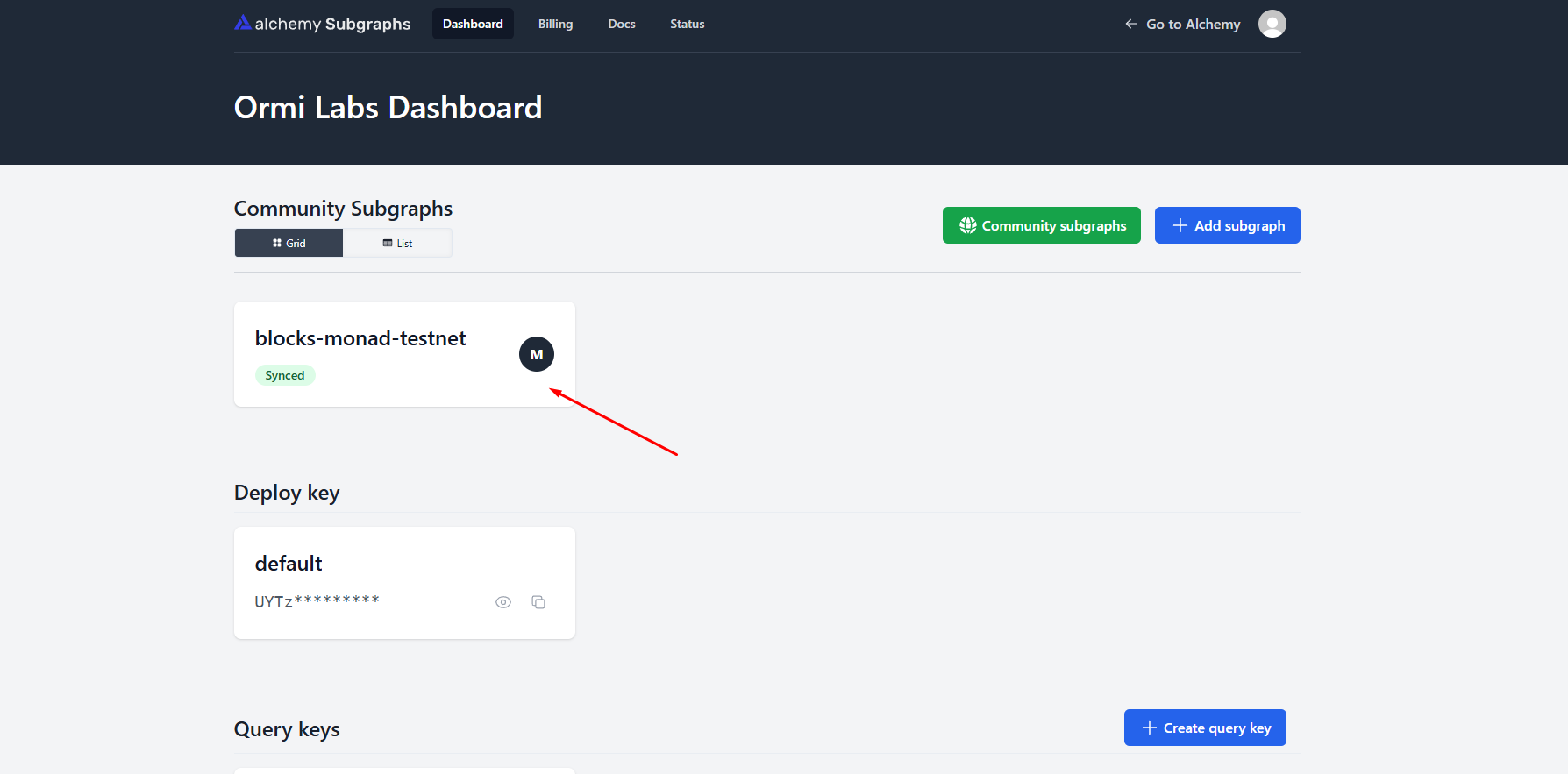
- Go to your Alchemy Subgraphs dashboard
- Click on the subgraph that you want to migrate
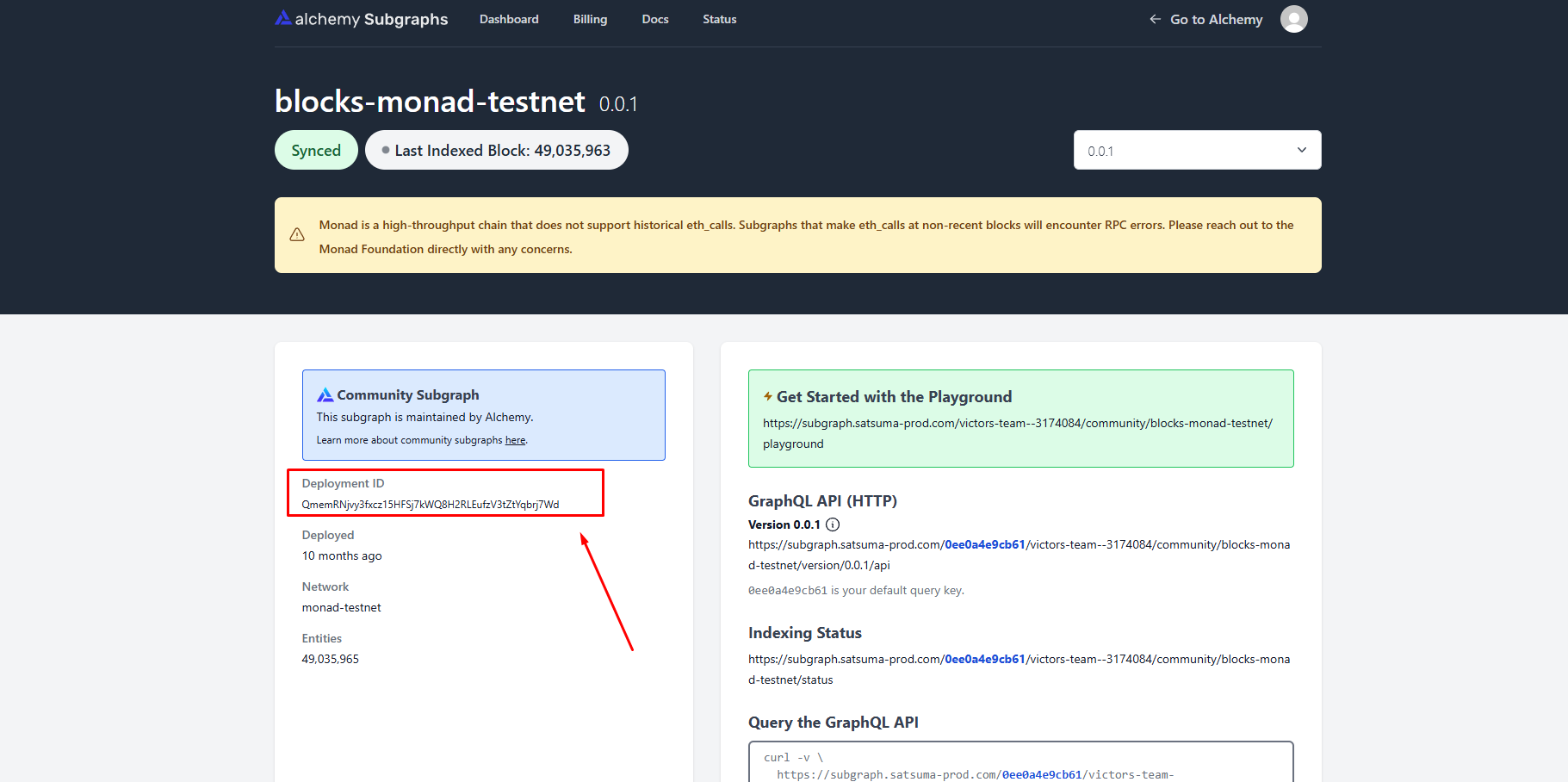
Copy the deployment ID
Retrieving the IPFS Hash (for custom Alchemy IPFS deployments)
Some Alchemy subgraphs were stored on an IPFS node that cannot be accessed through standard public gateways. If your migration fails when using the standard IPFS URL, you can retrieve the IPFS hash by querying your Alchemy subgraph endpoint:This lookup may not work for every Alchemy deployment because of how their IPFS layer handled metadata. If you run into issues, contact us on
Telegram or through our contact form and we can help.
Head back to the 0xGraph page
Press the Deploy Subgraph button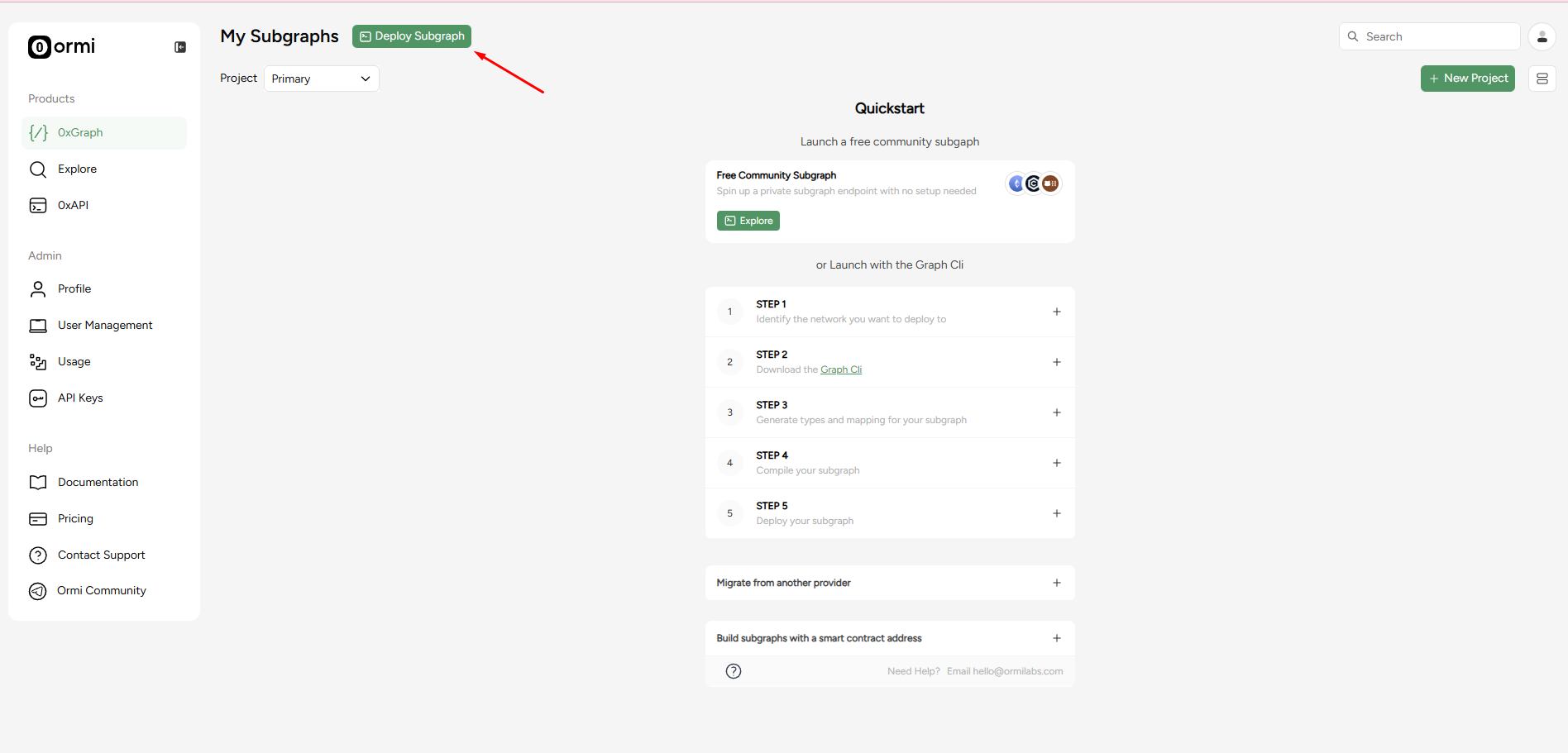
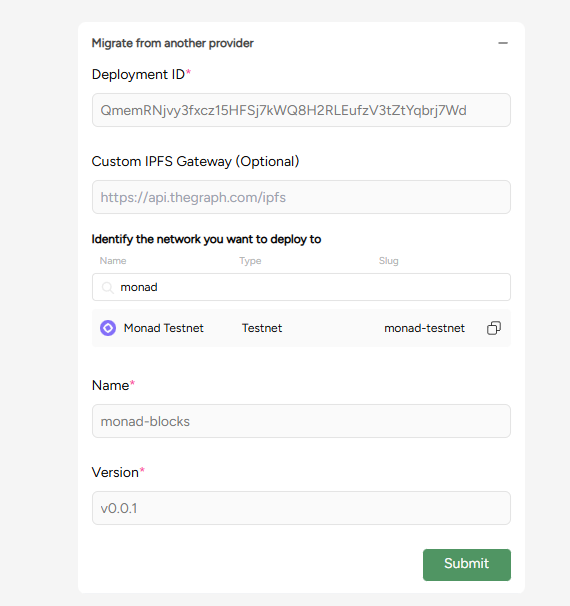
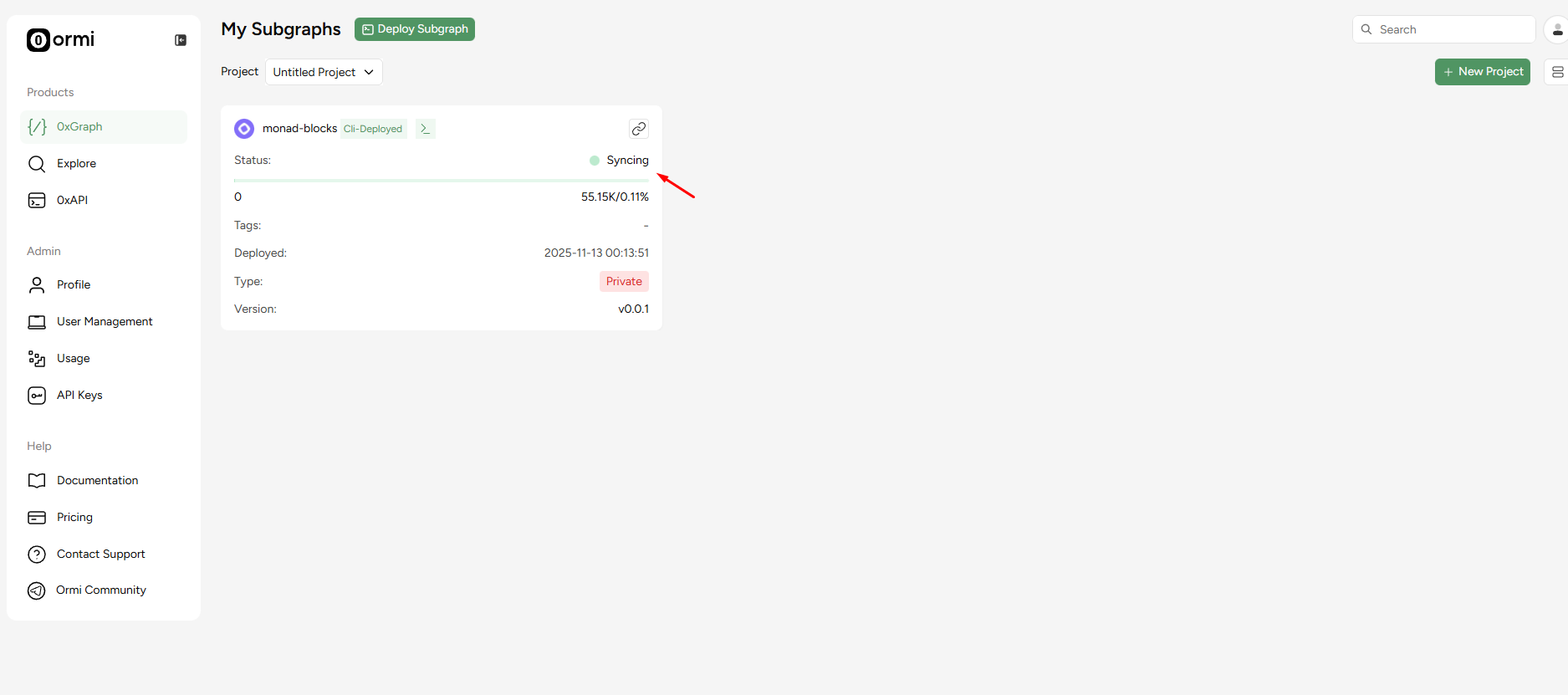
- Deployment ID: QmemRNjvy3fxcz15HFSj7kWQ8H2RLEufzV3tZtYqbrj7Wd
- Network: Monad Testnet
- Name: monad-blocks
- Version: v0.0.1
Endpoint differences
| Alchemy | Ormi |
|---|---|
https://subgraph.satsuma-prod.com/<query_key>/<project_prefix>/<subgraph_name>/api | https://api.subgraph.ormilabs.com/api/public/query_deployment?subgraph_id=<deployment_id> |
Post-migration checklist
- Open your subgraph in the Ormi dashboard
- Check sync status and logs to make sure it’s indexing
- Test GraphQL queries using the GraphQL link
- Use tags if you plan on updating your subgraph

